Preset:
Ultracomb in Bitwig
(2024-06-25)
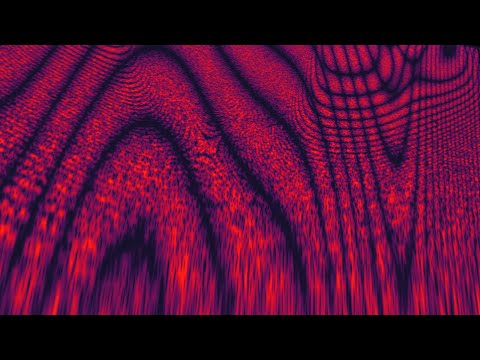
In AU5's recent video, he introduces the Ultra Comp, a filter combination in Ableton Live using devices like a flanger, phaser, and frequency shifter. This summary will show how to recreate this in Bitwig Studio. The Ultra Comp creates a spectral filtering sound and a moiré pattern in the spectrum analyzer.
Overview
- Device Creation: Starts with a flanger using two delays, then uses phase-inverted flangers for an All-Pass effect, ending with a frequency shifter for a Shepard tone effect.
- Bitwig Implementation: Uses Bitwig's All-Pass modules to replace phase-inverted flangers, analyzes with EQ curve analyzer, and creates custom filters.
Key Points
- Flanger Creation: - Uses two delays to split the signal, achieving minimal delay for flanging. - Combines the delayed signal with the dry signal.
- All-Pass Filters: - Create notches in the frequency spectrum. - Mixed with the dry signal, they act like low-pass filters. - Increasing poles adds more notches, creating complex filters.
- Frequency Shifter: - Adds a Shepard tone effect by shifting frequencies. - Can create stereo effects by shifting left and right channels differently.
- Bitwig FX Grid: - Utilizes 50 All-Pass modules for extensive filtering. - Adjusts phase relationships with a frequency knob. - Blends dry, delayed, and dispersal signals for the final output.
- CPU Considerations: - More All-Pass modules increase CPU usage. - Duplicating the effect amplifies it but also increases CPU load.
- Alternative Method: - Uses Bitwig’s frequency split for spectral filtering, less CPU intensive. - Can add effects like flangers, phase shifters, or frequency shifters in FX boxes.
- Sound Characteristics: - Different methods produce distinct sounds. - All-Pass method offers unique audio qualities.
- Practical Use: - Suitable for color-based producers. - Allows for extensive sound modulation and customization.
The video includes detailed steps and analysis for recreating and understanding the Ultra Comp effect in Bitwig Studio.
- Download:
- Au5 Video: https://www.youtube.com/watch?v=_SyB2WqKwP4
Basic Support