Update 2025-10-04: Added a new preset for B5.3, it uses a simple grid reverb (you can exchange it) and a resonator accentuating certain notes. Download:
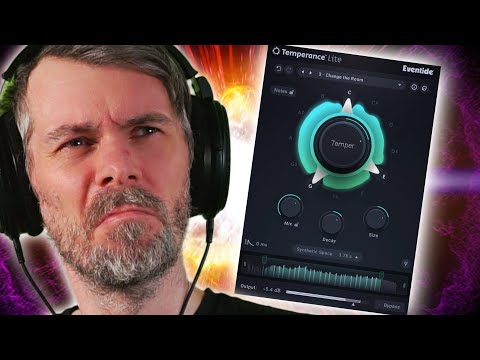
Today I wanted to talk about the Temperance Light plugin, which is marketed as a new kind of reverb but is essentially just a reverb with an added filter.
While the plugin looks nice and sounds good, I found it's easy to recreate its effect inside Bitwig Studio using onboard devices, giving you much more control and flexibility.
By building your own version, you can choose your own reverb and filter types, stack notes as you want, and even add delays for more creative possibilities. Using Bitwig’s modular environment not only helps you learn more but also opens up new ideas for your music.
- Overview of the Temperance Light plugin, marketed as a "musical reverb" with a filter component
- Critique of plugins that combine basic effects inside a non-modular box, limiting user control
- Demonstration of how to replicate the Temperance Light effect in Bitwig Studio using onboard and VST effects
- Step-by-step guide to creating a reverb with a post-filter on only the wet signal, offering more flexibility
- Explanation of using Bitwig’s chain device, EQ+, and Filter+ for customizable filtering
- Use of voice stacking and modulation to create multiple filter bands matching musical notes
- Highlighting that Bitwig allows easy reverb and filter swapping, giving more creative options than fixed plugins
- Extension of the concept with delay effects inside Bitwig’s FX Grid for further creative potential
- Encouragement to replicate plugin effects in Bitwig for learning and broader creative possibilities
- Acknowledgement that the original plugin is fine but modular workflows offer more control and inspiration
Plugin Website: https://bit.ly/3VNCLvy