Preset:
Elevate-Bitwig
(2025-09-17)
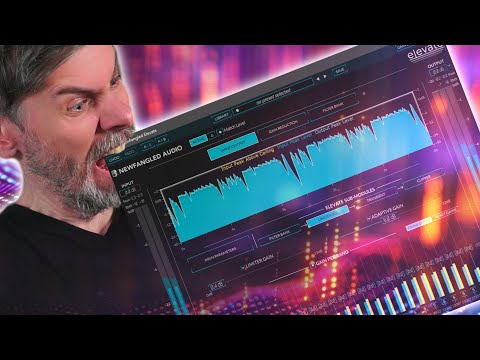
In this video, I tackled the challenge of replicating Newfangled Audio's Elevate plugin inside Bitwig Studio 5.3 Beta 5, and I think I came pretty close. Elevate is a powerful mastering tool that combines a filter bank, limiter, transient shaper, and clipper into one plugin. I recreated this structure using Bitwig’s modular tools and shared the preset for you to try out—link is in the description below!
What Elevate Does:
- Filter Bank:
- Uses 26 or 62 bands spaced according to the mel scale.
- Acts as a frequency splitter for detailed processing.
- Limiter:
- Each band has its own limiter for precise control.
- Transient Shaper:
- Adjusts transients to enhance or smooth out attacks.
- Clipper:
- Final stage for hard or soft clipping.
How I Recreated Elevate in Bitwig:
- Filter Bank (Band Splitting):
- Used impulse responses to replicate the mel-spaced band splitting.
- These impulse responses are CPU-friendly and keep the phase untouched.
- Limiter (Replaced with Compressor):
- Instead of a hard limiter, I used a compressor on each band for more flexibility.
- You can adjust the ratio, attack, and release to shape the sound or mimic a limiter.
- Threshold control is added for pulling down levels or pushing the signal into compression.
- Transient Shaper:
- Skipped a dedicated transient shaper because the compressor already allows you to tweak attacks and releases effectively.
- Clipper:
- Added Over as the final stage for clipping.
- The clipper threshold is set to 0 dB, ensuring no overs.
- Timing Compensation:
- Added a Time Shift at the end to compensate for the filter bank’s latency.
- Ensured precise alignment so you can blend wet and dry signals perfectly (inverted polarity cancels out).
How It Sounds:
- I tested the setup on a pre-compressed track, but you can really hear the magic when tweaking:
- Boost input gain to push the bands into compression.
- Fine-tune attack and release to control dynamics.
- Adjust the band levels to shape the tone, effectively acting as an EQ.
- Use the clipper threshold for smooth or aggressive clipping.
Features of My Elevate Replica:
- Band Control:
- Each band has independent threshold, attack, release, and ratio controls.
- Delta Mode:
- Allows you to monitor what’s being clipped.
- Final Safety Limiter:
- Added a final Over clipper at 0 dB to catch anything that might go into the red.
Conclusion:
This setup isn’t a 1:1 clone of Elevate, but it captures the core workflow: filter bank > dynamics processing > clipping. The flexibility of Bitwig’s modular environment lets you tweak things to taste or go beyond what Elevate offers.
Free